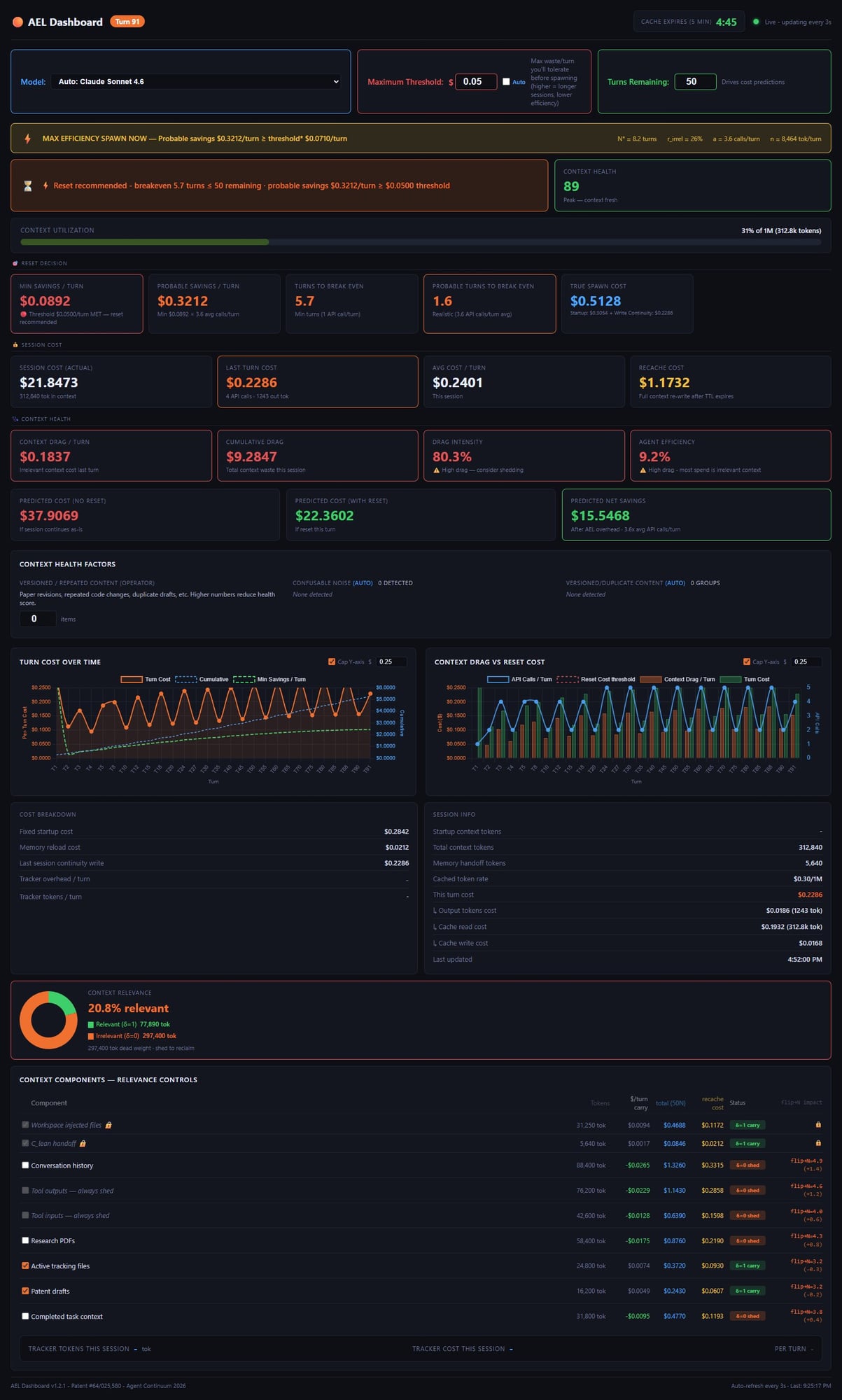
Here’s what most developers don’t know: every single turn you run, your AI re-reads everything it has ever processed — every file, every tool result, every message from turn one. That context grows every turn. Your cost per turn grows with it. By turn 250 of a heavy session, you’re realistically looking at 500–1,000× the cost per turn compared to turn 5 — mostly for things your agent already knows. SpawnPoint Dashboard makes the waste visible and tells you exactly when to reset.
Every token your agent has ever processed stays in context. Every turn re-bills all of it. The longer the session, the worse the ratio of actual work to dead weight — and nobody is measuring it.
One turn with 6 tool calls re-reads your full context 6 times. A 50-turn session with heavy tooling can cost 10× more than the inference alone — paid over and over for context your agent already processed.
Each new piece of context you add gets re-billed on every future turn. That browser snapshot from turn 3? You’re still paying for it at turn 47. The overhead accelerates like a wedge.
Provider dashboards show total spend. They don’t show you how much of that was dead weight vs. useful work. In a real heavy session, the split is often 87% overhead, 13% actual inference.
Browser automation, file edits, multi-tool workflows. 85 turns. 21 API calls per turn. Here’s what SpawnPoint Dashboard measured.
This is what a real heavy-tool session looks like, turn by turn. The work doesn’t change. The context does.
| Turn | Context tokens | Cost per turn | Of which is overhead | What changed |
|---|---|---|---|---|
| Turn 1 | ~4,000 | $0.01 | ~10% | Just started. Clean context. |
| Turn 10 | ~18,000 | $0.04 | ~45% | A few file reads, some tool calls. |
| Turn 25 | ~52,000 | $0.14 | ~65% | Browser snapshots, outputs accumulating. |
| Turn 50 | ~110,000 | $0.31 | ~78% | Deep into task. Most context is stale. |
| Turn 85 | ~190,000 | $0.89 | ~87% | 89× more expensive than turn 1. Provider compresses here. |
When your context gets too large, Anthropic, OpenAI, and other providers automatically compress it. Most developers don’t realize this is happening — or what it’s doing to their agent in the process.
Compression fires at 95% and drops to ~25% — but the residual floor rises each cycle. SpawnPoint resets to near zero at the optimal moment.
Cost per turn tracks directly with context fill. Compression events add an extra spike (reading the full context to compress it costs money). SpawnPoint keeps per-turn cost low throughout.
Hypothetical illustration. Actual values depend on session length, tool use, and provider pricing. SpawnPoint Dashboard shows your real numbers in real time.
SpawnPoint works differently depending on how you run your agents. Here’s what it looks like in practice.
You’re deep in a multi-step task. The agent needs continuous context to function. You can’t reset on turn 23 just because the math says so — you’d lose critical state mid-task.
What SpawnPoint gives you: visibility. You can see the cost of every turn accumulating in real time — what each tool call is costing, how much dead weight you’re carrying, and how the bill is growing. When you hit a natural break point — task complete, phase shift, logical handoff moment — you reset with full continuity and know exactly what you saved by timing it right.
You’re running batch jobs, research sweeps, code review pipelines, or any workflow where each task is independent. Context from the last task isn’t needed for the next one.
SpawnPoint tells you the mathematically optimal reset interval — the exact moment where spawning a fresh session costs less than continuing. For production pipelines, this becomes an automated trigger. Spawn at the right moment, carry a minimal handoff, and eliminate the overhead buildup entirely.
One-time purchase. No subscription. Free updates forever. Works with your existing setup — no rewrites, no new frameworks.
Real-time cost monitoring for OpenClaw users. Per-turn cost breakdown, tool call multiplier tracking, context drag visualization, and a live reset recommendation. Single HTML file — no server, no install, no account.
Same monitoring for LangChain, CrewAI, and OpenAI Agents SDK. Add a few lines to your agent code and get the full SpawnPoint experience in your existing framework.
For non-developers using Claude.ai, ChatGPT, Gemini, or Grok directly in the browser. Tracks your session health and tells you when a reset will help — no API key required.
Lightweight Python SDK for developers calling AI APIs directly. Records token usage per turn, computes costs, and feeds the data layer for building your own spawn logic.
“Within the first two sessions I could see exactly where my bill was going. Turned a $500 session into a $75 session by resetting at the right moment.”
“I had no idea 66% of my spend was context overhead. SpawnPoint Dashboard made it visible in minutes. This should be standard tooling for anyone running agents.”
“I never realized how badly I was getting shafted by not resetting my agent’s sessions, they were using the default compression and I was getting ripped off by providers and didn’t even know it!”